What you and a responder see
Your Card
EmergencyAid opens straight onto your card, with no menu in the way. Press DOWN to move from page to page; on a touch watch, swipe up or tap. After the last page it comes round to the first again.
The pages, in order
Identity
Who you are: name, age and blood type.
Vital Info
What a responder needs to know: allergies, conditions, medications, devices and notes.
Emergency Contacts
Who to call, with a call-now QR code for each.
Live Vitals
Heart rate, temperature and blood oxygen, as far as your watch records them.
Location
Where you are, as a Plus Code and coordinates.
Local Help
The emergency numbers for the country or state you are in.
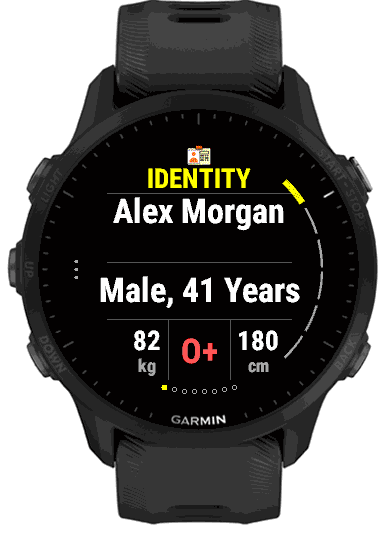
1. Identity
The first thing anyone sees: your name, your birth year and age, and your blood type, large and high-contrast. Press START to step through the rest of your identity: your home address, your own contact number with a QR code, and any other details you added, such as a passport or insurance number.
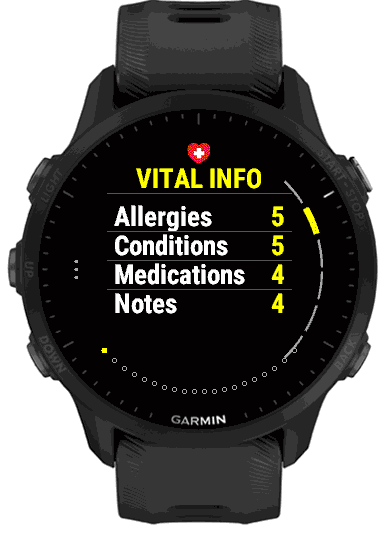
2. Vital Info
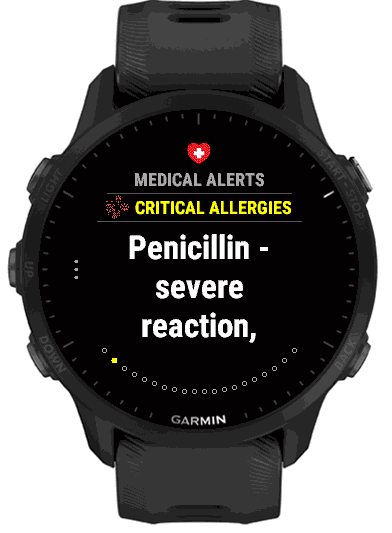
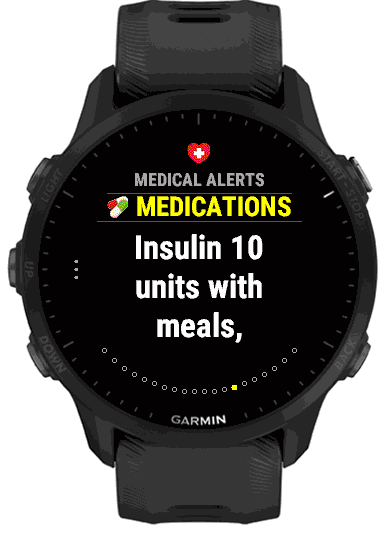
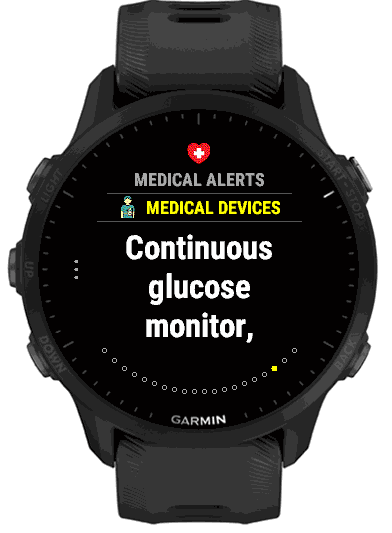
A summary of how many allergies, conditions, medications and notes you have listed. Press START to open Medical Alerts, where each of them has its own pages in large text, followed by your medical devices. Long entries continue over extra pages marked “(CONT.)”.
If only one of those sections has anything in it, the summary is skipped and that section’s pages come straight after Identity.
3. Emergency Contacts
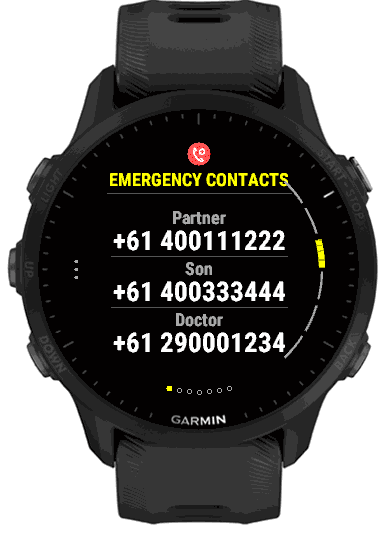
Your first contact, your second contact and your doctor, each with a phone number, on one page. Press START to open each one in turn with its name, relationship and both numbers, then a QR code that a responder can scan with their own phone to call, without typing the number.
4. Live Vitals
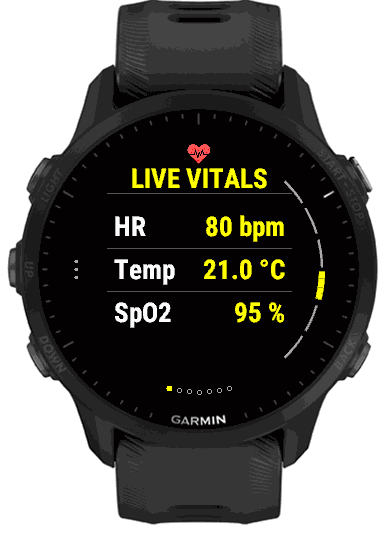
Your latest heart rate, temperature and blood oxygen (SpO2), read from the watch’s own sensors. Press START for a page per measurement with the time it was recorded and a 24-hour graph.
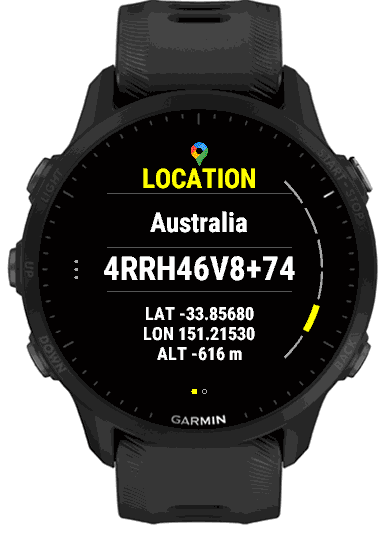
5. Location
Where you are right now: the country, a short Plus Code, your latitude and longitude and your altitude. Press START for a QR code that opens your position in Google Maps. Until the watch has a GPS fix, the page says “Acquiring GPS fix…”.
6. Local Help
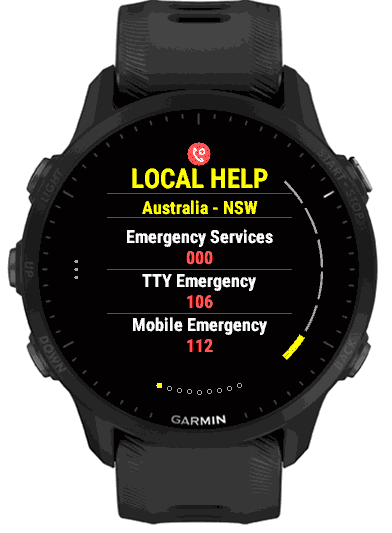
The emergency and important-service numbers for the country you are in (and, in Australia, the state or territory), such as the emergency number, poison information and police assistance. Press START to step through each number with a short description of what it is for.
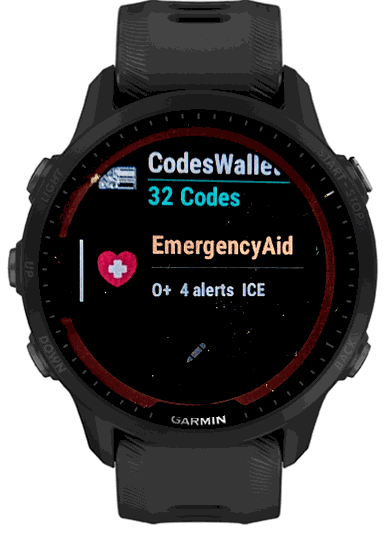
The glance
On watches that show a glance list, EmergencyAid adds a strip with its name and a one-line summary of your card: your blood type, the number of alert sections you have filled in (allergies, conditions, medications and devices) and ICE if you have an emergency contact. A card with nothing filled in shows only the name. The glance shows counts, never details, so it is safe on a list anyone can scroll.