
Your Card · Vital Info
Important Notes
Everything else worth knowing, in your own words: how to help you, who to call first, what to avoid. Four short notes, each its own page on the card.
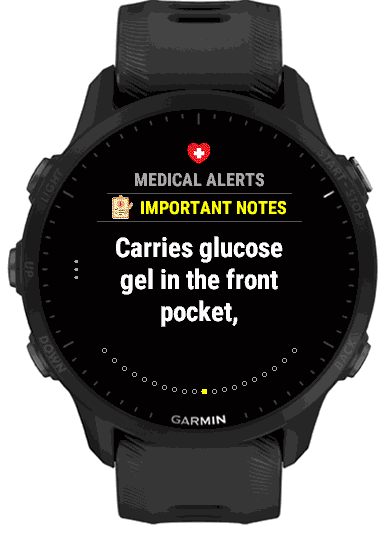
Four notes
Each note holds up to 120 characters. Empty notes are left out, and so is the section when all four are empty or Show is off. On the phone they are Note 1 to Note 4 in the Important Notes group. On the watch, open Important Notes in Settings: Show first, then the four notes, each showing its text or “Note 1” to “Note 4” while empty. Select a note to type.
What to put in them
A note is most useful when it tells a responder something they can act on straight away. Keep each one short and plain.
Carries glucose gel in the front pocketCall Jamie firstSpeaks English and SpanishAssistance dog may be presentHard of hearing, please face me
How it looks on the card
Notes come after the conditions in Medical Alerts, under the heading Important Notes, one page each. The Vital Info summary shows how many notes you have filled in.