
Your Card
Identity
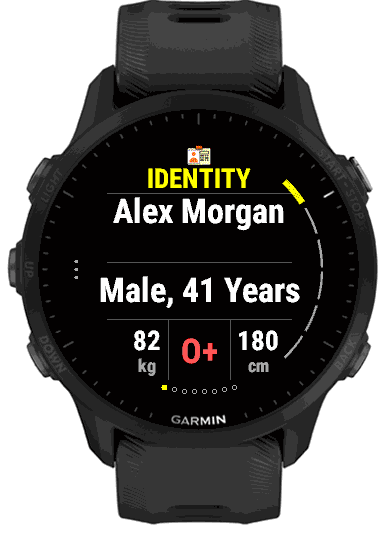
The first page anyone sees when they pick up your watch. It is deliberately short: your name, your gender and age, your blood type, and your weight and height, the few facts a responder wants before anything else.
What it shows
- The Identity page
- Your name, your gender and age, your weight and height, and your blood type. With Use Garmin Profile on (the default), your birth year, gender, weight and height are read from your Garmin profile, in the units your watch uses, so your age is worked out by the watch and stays right every year, with nothing to type. Switch it off to type your own. The birth year itself is shown only in Settings. Anything left empty reads “Not provided”.
 Home address
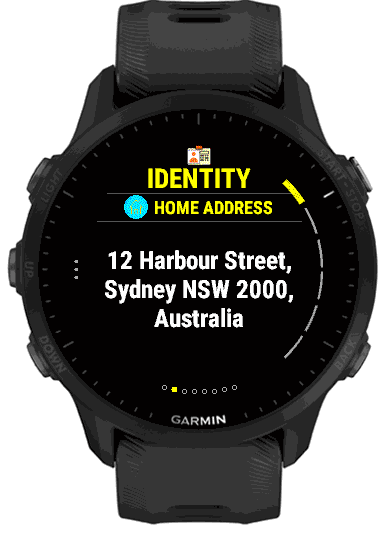
- Where you live, up to 120 characters. Press START on the Identity page to reach it.
 My contact
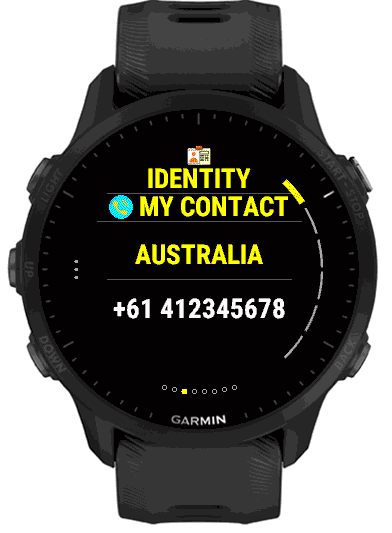
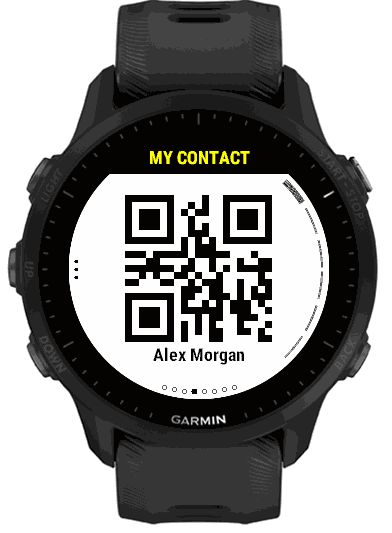
- A phone number that reaches you or your household, with its own call-now QR code. Your country is shown above it.
- Other details
- Up to four extra facts of your own, each a name and a value, such as
PassportandN1234567, orMedicareand your number. Each one gets a page with the name as its title. A detail with a name but no value, or a value but no name, is left out.
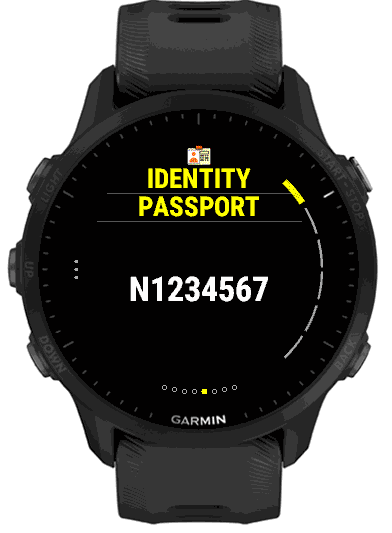
If you leave everything in Identity empty, the page is left out and the card starts with the next section that has information.
Use Garmin Profile
The first row after Show in Identity is Use Garmin Profile. It decides where four of the facts on the card come from: your birth year (which gives your age), your gender, your weight and your height. It is on by default.
- On
- The watch supplies all four from the profile you already keep with Garmin, with weight and height in the units your watch is set to (kilograms or pounds, centimetres or feet and inches). There is nothing to type, and your age stays right every year. The Birth Year, Gender, Weight and Height rows then show those values for information and cannot be changed here. Anything you typed earlier is kept, but ignored while the option is on.
- Off
- Only what you type is used: the Birth Year, Gender, Weight and Height rows (with a kilograms or pounds switch and a centimetres or feet and inches switch) become yours to edit. Choose this if your Garmin profile is wrong or incomplete and you would rather not change it, or if you want the card to show different details from your Garmin account.
A fact that is empty, in the Garmin profile or in your own entries, shows as “Not provided” on the card. Your name, address, country, contact number and blood type are never taken from the Garmin profile; they are always what you type.
To correct the values while the option is on, update your Garmin profile in Garmin Connect, or switch the option off and type your own. The option is on the watch in Settings > Identity, and in the Identity group of the settings page in the Garmin Connect IQ app.
Country and phone numbers
The country you choose here does one practical thing: it completes your phone numbers. A number typed the way you would dial it at home, such as 0400 111 222, is shown and encoded in the QR codes with your country’s calling code, +61 400111222, so a responder or a visitor can dial it from any phone. A number that already begins with + is never changed, and what you typed is kept exactly as you typed it.
The country here is separate from Local Help, which follows where you are.
Blood type, and why it is shown at all
Human blood is grouped by the ABO system (A, B, AB or O) and the Rh factor (positive or negative), which gives the eight types you can choose: A+, A−, B+, B−, AB+, AB−, O+ and O−. If you have not chosen one, the card shows it as “Not set” rather than guessing.
- ABO group
- Set by markers (antigens) on your red blood cells. Mismatched blood types cause a dangerous immune reaction in a transfusion, which is why a type is checked first.
- Rh factor
- A separate marker, present (“positive”) or absent (“negative”). It matters most in pregnancy and, again, in transfusion.
- O negative
- The “universal donor” type, safe to give to almost anyone when there is no time to test. If it is yours, it is useful for a responder to know at once.
Hospitals still test your blood before any real transfusion, whatever you tell them. What showing your type here buys is speed: a paramedic or an emergency team can start planning before the lab results are back.
Setting it up
On the phone, open the Identity group of the settings page. On the watch, hold UP (or the bottom button on a watch with all its buttons on the right) and choose Identity, or hold on the Identity page itself, which opens the list with the cursor already on Identity. The rows are Show, Use Garmin Profile, Name, Address, Country, Contact Number, Blood Type, Birth Year, Gender, Weight and Height (each with its unit switch) and the four Other detail name and value pairs. The Show switch hides the whole section without losing what you typed. See Getting Started.