
Your Card · Vital Info
Medications
Medications matter for two reasons in an emergency. They can interact badly with whatever a responder is about to give you, and stopping one suddenly, or a responder assuming you are not on one, can itself cause harm. This section is a quick reference, not a full prescription record.
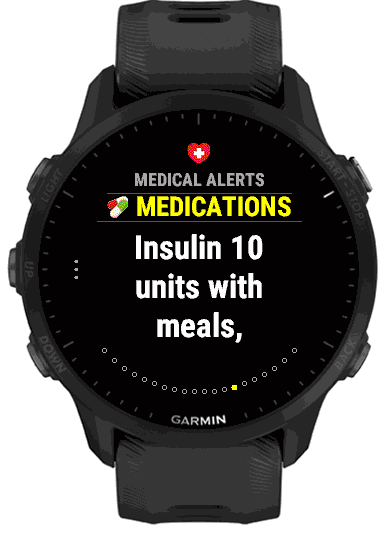
Four boxes, in your own words
Medications are four text boxes, each holding one medication, with its dose and how often if you want them there: Insulin 10 units with meals, Metformin 500 mg twice daily. Each box holds up to 60 characters. Empty boxes are left out of the card, and so is the whole section when all four are empty or Show is off.
On the phone they are the four Medication boxes of the Medications group. On the watch, open Medications in Settings: Show first, then the four boxes, each showing its text or “Medication 1” to “Medication 4” while empty. Select a box to type, and clear the text to empty it.
Why interactions matter
Anticoagulants (blood thinners) change how bleeding is managed after an injury. Being on insulin changes how a responder reads confusion or unconsciousness: it may be a blood sugar emergency rather than a head injury. MAOIs, a class of antidepressant, interact dangerously with some painkillers and other medicines a paramedic might otherwise reach for. None of this needs the responder to know your exact dose, only that the medicine is there.
How it looks on the card
Under Vital Info, Medical Alerts shows the medications after your notes, one page per medication, under the heading Medications. The Vital Info summary shows how many boxes are filled in.