
Your Card
Emergency Contacts & Doctor
Who to call. EmergencyAid holds two emergency contacts and your main doctor, each with up to two phone numbers, and gives a responder a QR code for each so they can call from their own phone without typing a number.
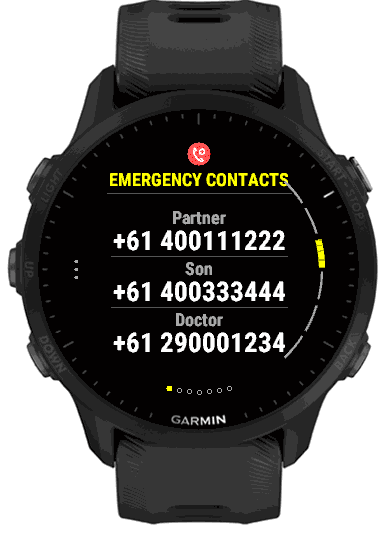
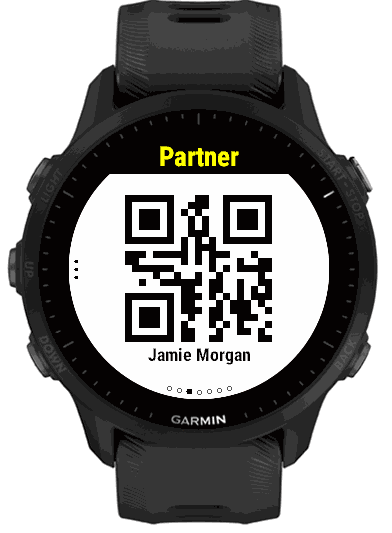
What you enter
- Emergency Contact 1 and 2
- A name, a relationship, a phone number and a second phone number. Contact 2 is optional.
- Main Doctor
- A name, a phone number and a second phone number.
On the phone these are the Emergency Contacts and Main Doctor groups. On the watch, open Emergency Contact 1, Emergency Contact 2 or Main Doctor in Settings; each starts with a Show switch, then Name, Relationship (contacts only), Phone and Second Phone. The relationship is a list on the watch: Spouse, Partner, Parent, Child, Sibling, Friend, Caregiver, or Other, which lets you type your own, such as Neighbour. On the phone you type it.
Phone numbers are completed with the calling code of the country in Identity, so 0400 111 222 is shown as +61 400111222. Set that country first. Spaces, hyphens, dots and brackets you type are dropped, and a number that starts with 00 (for example 0044 20 7946 0000) or + keeps its own country, shown as +44 2079460000.
How it looks on the card
The Emergency Contacts page lists everyone you have filled in with a relationship (or “Doctor”) and a number, in large text. Press START to open them one at a time. Each shows the name, the relationship and both phone numbers. If you have only one contact or only a doctor, the summary is skipped and that person is shown directly.
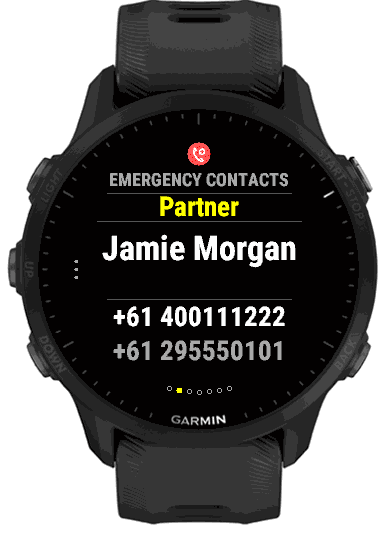
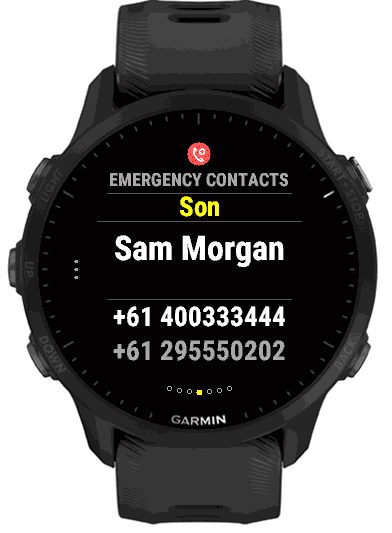
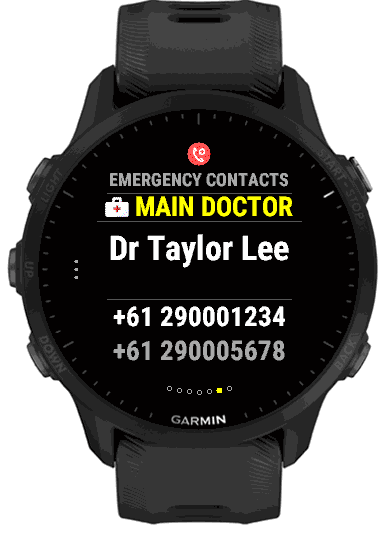
Contacts, then the doctor, are shown in that order. A contact you switch off with Show, or leave completely empty, is left out.
The call-now QR code
On a person’s page, press START or tap to show a large white QR code for their first phone number. A responder points their phone’s camera at it and the phone offers to call that number. The code carries the number with its country calling code, so it works from a phone in any country. The same code is available for your own contact number on the Identity page.
Swipe left or right, or press BACK, to leave the QR page.